
Introduction
Business Software helps companies manage daily operations, employees, customers, projects, finances, communication, and important business information. From small startups to large organizations, digital tools can reduce repetitive work, improve accuracy, and make business processes easier to manage.
Modern companies use software for accounting, customer relationship management, inventory control, project planning, team communication, document storage, marketing, cybersecurity, and online payments. These tools can save time and support better decision-making when they are selected and used correctly.
However, every business has different requirements. A small online store may need simple invoicing and inventory tools, while a larger company may require advanced reporting, automation, employee permissions, and system integrations. This article explains the main types, benefits, features, limitations, and important factors to consider before choosing business software.
What Is Business Software?
Business software refers to digital programs and platforms designed to support company activities and professional workflows. It can help businesses organize information, automate tasks, communicate with customers, and monitor performance.
Some software focuses on one specific purpose, such as creating invoices or managing payroll. Other platforms combine multiple functions, including sales, customer support, reporting, inventory, and team collaboration.
Business software may be installed on a computer, accessed through a web browser, or used through a mobile application. Cloud-based tools are particularly common because employees can access them from different locations and devices.
The right software should solve a clear business problem without making operations unnecessarily complicated.
Why Business Software Is Important
Business software improves organization and reduces dependence on slow manual processes. Tasks that previously required paper records, spreadsheets, or repeated data entry can often be completed automatically.
For example, accounting software can calculate totals and organize financial records. Customer management software can store contact information and sales activity, while project tools can show deadlines and employee responsibilities.
Digital systems also make information easier to search, update, and share. Employees can access the latest version of a file instead of working from outdated documents.
When properly implemented, business software can improve productivity, reduce errors, strengthen customer service, and support company growth.
Accounting Software
Accounting software helps businesses manage income, expenses, invoices, payments, and financial reports.
Small businesses can use it to create professional invoices, record transactions, track unpaid bills, and review general cash flow. Larger organizations may require advanced features such as payroll, tax support, multiple currencies, budgeting, and detailed financial reporting.
A reliable accounting platform should be accurate, secure, and easy to understand. It should also allow businesses to export their financial data when required.
Accounting software can improve organization, but complex tax and financial decisions may still require support from a qualified accountant.
Customer Relationship Management Software
Customer relationship management software, commonly known as CRM software, helps businesses organize customer and sales information.
A CRM system can store names, email addresses, phone numbers, past conversations, purchase history, sales opportunities, and follow-up tasks.
Sales teams can use this information to understand which customers need attention and which deals are moving forward. Customer support teams can also review previous interactions before responding to an enquiry.
A useful CRM platform should be simple enough for employees to update regularly. If records are incomplete or outdated, the system will not provide reliable information.
Project Management Software
Project management software helps teams plan, organize, and monitor work.
Projects can be divided into tasks, deadlines, priorities, milestones, and individual responsibilities. Employees can see what needs to be completed and who is responsible for each activity.
Many platforms provide boards, calendars, timelines, comments, reports, and file attachments. These features are useful for marketing campaigns, website projects, product launches, construction planning, and client work.
Small teams should avoid choosing software that is more complicated than their actual workflow. A simple system that employees use consistently may provide better results than an advanced platform that is regularly ignored.
Team Communication Software
Communication software allows employees to exchange messages, make calls, attend video meetings, and share files.
It is especially useful for remote teams and companies with multiple offices. Separate channels or groups can be created for departments, projects, customers, or important announcements.
These platforms can reduce long email conversations and make quick communication easier. However, constant notifications may interrupt focused work.
Businesses should establish clear communication rules. Important decisions should be documented, and confidential information should only be shared through secure and approved channels.
Inventory Management Software
Inventory management software helps companies track products, materials, stock levels, orders, and deliveries.
Retailers, warehouses, manufacturers, and online stores can use these tools to understand which items are available and which products need to be reordered.
Automatic alerts can warn businesses when stock becomes low. Reports can also show popular products, slow-moving items, and sales patterns.
Accurate inventory information can reduce overselling, unnecessary purchases, and storage problems.
The software should be updated whenever products are received, sold, returned, or damaged. Incorrect data can lead to poor purchasing decisions.
Human Resource Management Software
Human resource software helps businesses manage employee information, attendance, leave requests, recruitment, training, and performance records.
Some systems also include payroll, shift scheduling, onboarding, and document management.
HR software can reduce paperwork and make employee information easier to organize. Managers can review attendance, approve leave, and access required records from one platform.
Because employee data is sensitive, strong access controls are essential. Only authorized people should be able to view personal, financial, or employment information.
Businesses should also follow applicable employment and data-protection requirements.
Payroll Software
Payroll software calculates employee salaries, deductions, bonuses, overtime, and payment records.
It can help reduce manual calculation errors and create organized payroll reports. Some systems also generate payslips and support tax-related records.
Payroll information must be accurate because mistakes can affect employees and create financial problems for the company.
Businesses should regularly review employee details, payment schedules, and calculations before processing salaries.
Sensitive payroll data should be protected through strong passwords, limited permissions, secure backups, and trusted software providers.
Customer Support Software
Customer support software helps businesses manage questions, complaints, requests, and technical issues.
Support tickets can be assigned to employees, categorized by urgency, and tracked until they are resolved. This prevents customer messages from being forgotten.
Some platforms include live chat, email support, automated responses, knowledge bases, and customer satisfaction reports.
Automation can answer common questions, but customers should still be able to reach a person when the problem is complicated.
Fast and organized customer support can improve trust, satisfaction, and long-term customer relationships.
Marketing Software
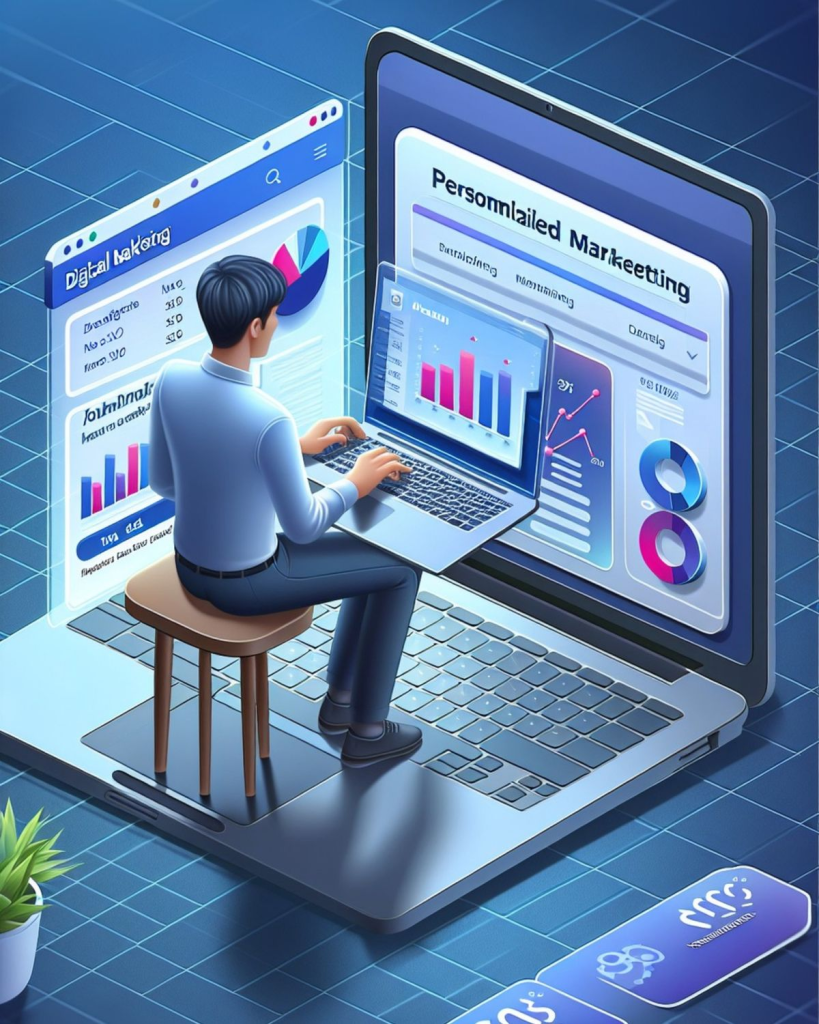
Marketing software helps businesses plan campaigns, communicate with audiences, and measure results.
Email marketing tools can send newsletters, promotions, and automated follow-up messages. Social media management platforms can schedule posts and monitor engagement.
Analytics tools can show website traffic, campaign performance, customer behaviour, and conversion activity.
Businesses should avoid sending excessive or irrelevant messages. Marketing communication should provide clear value and respect customer preferences.
Accurate reporting is also important. Companies should focus on meaningful results instead of relying only on views, likes, or other surface-level numbers.
Sales Management Software
Sales software helps companies organize leads, opportunities, quotations, follow-ups, and completed deals.
Sales representatives can record conversations, schedule reminders, and update the stage of each opportunity.
Managers can review sales activity, estimated revenue, conversion rates, and employee performance.
A clear sales system can prevent potential customers from being forgotten. It can also help teams understand which methods produce the strongest results.
However, the information must be entered consistently. Incomplete records can make forecasts and reports unreliable.
Document Management Software
Document management software helps companies store, organize, search, share, and protect business files.
Documents may include contracts, invoices, proposals, reports, employee records, policies, and project information.
A structured folder and file-naming system can make important documents easier to locate. Version control can also prevent employees from using outdated copies.
Access permissions should be based on employee responsibilities. Confidential documents should not be available to everyone.
Businesses should maintain secure backups in case files are deleted, damaged, or affected by a system problem.
Cloud-Based Business Software
Cloud-based software is accessed through the internet instead of being stored only on one computer.
It allows employees to work from offices, homes, or other locations. Information can be synchronized across laptops, smartphones, and tablets.
Cloud platforms may reduce the need for expensive internal servers and maintenance. They can also make it easier for a business to add new users as the company grows.
However, reliable internet access is often required. Businesses should also review security, data ownership, backup policies, and service availability before selecting a cloud provider.
Business Automation Software
Automation software performs repeated tasks with limited manual involvement.
For example, a new customer enquiry may automatically create a CRM record. An online order may update inventory and send a confirmation email.
Automation can reduce repetitive work and improve consistency. It may also help employees spend more time on customer service, planning, and creative tasks.
Every automated process should be tested carefully. An incorrect workflow may send wrong information, create duplicate records, or affect customer experiences.
Businesses should begin with simple automation and expand only after the system is working reliably.
Cybersecurity Software for Businesses
Cybersecurity software protects company devices, accounts, networks, and data from online threats.
Businesses may use antivirus tools, firewalls, password managers, backup systems, email filters, and access-monitoring platforms.
Security software should be updated regularly because cyber threats continue to change.
Employees should also receive basic security training. A strong security platform cannot fully protect a business when workers click suspicious links or share login information.
Important accounts should use unique passwords and two-factor authentication. Access should be removed promptly when an employee leaves the company.
Business Analytics Software
Analytics software helps businesses understand performance through reports, charts, and data.
Companies can study sales, website traffic, customer activity, marketing results, expenses, inventory, and employee productivity.
Good analytics can help managers identify trends and make more informed decisions. For example, a retailer may discover which products sell best during a certain season.
However, reports are only useful when the original data is accurate. Poor-quality information can lead to incorrect conclusions.
Businesses should focus on a limited number of important measurements instead of collecting data without a clear purpose.
Industry-Specific Business Software
Some industries require specialized software.
Healthcare organizations may need patient management and appointment systems. Restaurants may require ordering, table, and delivery platforms.
Construction companies may use project scheduling, estimation, and material tracking tools. Online stores may need product, payment, shipping, and customer management systems.
Industry-specific software may provide more relevant features than general business tools.
Before purchasing, companies should confirm that the platform supports their workflow, legal responsibilities, reporting needs, and future growth.
Free vs Paid Business Software
Free business software may be suitable for freelancers, startups, and small teams with basic requirements.
However, free plans may limit users, storage, reports, integrations, or customer support.
Paid platforms usually provide more features and stronger business controls. They may charge monthly, annually, or according to the number of users.
Companies should calculate the total long-term cost before subscribing. Additional charges may apply for storage, automation, support, or advanced features.
The cheapest option is not always the best value. Reliable performance and strong security may justify a higher price.
How to Choose the Right Business Software
The first step is to identify the exact problem the company wants to solve.
Businesses should create a list of essential features and separate them from optional features. They should then compare pricing, security, compatibility, ease of use, support, and integration options.
Employees who will use the software should be involved in the selection process. Their feedback can help identify practical needs that managers may overlook.
A free trial or demonstration should be tested through real business tasks before signing a long-term contract.
Software Integration
Integration allows different business platforms to exchange information.
For example, accounting software may connect with an online store, while CRM software may connect with email marketing and customer support tools.
Good integration reduces repeated data entry and helps employees work from accurate information.
However, poorly configured integrations can create duplicate records or transfer incorrect data.
Businesses should review which information is shared between platforms and limit access to what is genuinely required.
Data Security and Privacy
Business software may store customer information, employee records, financial data, contracts, and confidential documents.
Companies should review how the provider collects, stores, protects, and backs up this information.
Strong passwords, two-factor authentication, encryption, and role-based permissions can improve security.
Regular access reviews should be completed to ensure that employees only have the permissions needed for their work.
Businesses should also understand how their data can be downloaded or transferred if they stop using the platform.
Employee Training
Even strong software may fail when employees do not understand how to use it.
Businesses should provide clear training, written instructions, and practical examples.
Employees should learn how to enter information correctly, generate reports, protect accounts, and report technical problems.
Training should continue when major updates or new features are introduced.
A small group of experienced users may also provide internal support for common questions.
Consistent usage is necessary for accurate records and reliable business reporting.
Common Business Software Mistakes
One common mistake is purchasing software before clearly identifying business requirements.
Another is selecting a platform with too many unnecessary features. Complicated systems may reduce employee adoption.
Businesses may also ignore data backups, security settings, training, or subscription renewal costs.
Using several disconnected tools can create duplicate work and inconsistent records.
Companies should regularly review whether each platform still provides value. Unused subscriptions and outdated systems should be removed or replaced.
Benefits of Business Software
Business software can improve speed, accuracy, organization, and communication.
It can automate repeated tasks, provide real-time reports, and make information easier to access.
Customer service may improve when employees can review accurate records quickly. Financial and inventory tools can also reduce manual mistakes.
Cloud-based systems support remote work, while permission controls help protect important data.
The greatest benefits are achieved when the software matches the company’s workflow and employees use it consistently.
Limitations of Business Software
Business software also has limitations.
Subscriptions can become expensive, especially when companies use several platforms. Employees may require training, and system changes can temporarily interrupt work.
Cloud tools may depend on internet access and service availability. Software updates may also change familiar features.
Security risks can increase when accounts are poorly protected or unnecessary permissions are provided.
Businesses should maintain backups and recovery plans instead of depending completely on one provider.
Future of Business Software
Future business software is expected to become more intelligent, connected, and automated.
Artificial intelligence may help companies summarize reports, predict sales, organize tasks, answer customer questions, and analyze information.
Mobile access will continue to support employees working from different locations.
Software platforms may also provide stronger integrations and more personalized dashboards.
Security, privacy, transparency, and fair pricing will remain important. Businesses will prefer tools that provide useful automation without removing necessary human control.
Conclusion
Business Software helps modern companies manage accounting, customers, projects, employees, inventory, communication, marketing, documents, and security. The right digital tools can reduce manual work, improve accuracy, and support better business decisions.
Before choosing a platform, companies should review their requirements, budget, security needs, employee skills, integration options, and future growth. A complicated or expensive system is not automatically the best solution.
By testing software carefully, training employees, protecting business information, and reviewing performance regularly, companies can build a more organized, efficient, and reliable digital working environment.